Record the antibodies actually used
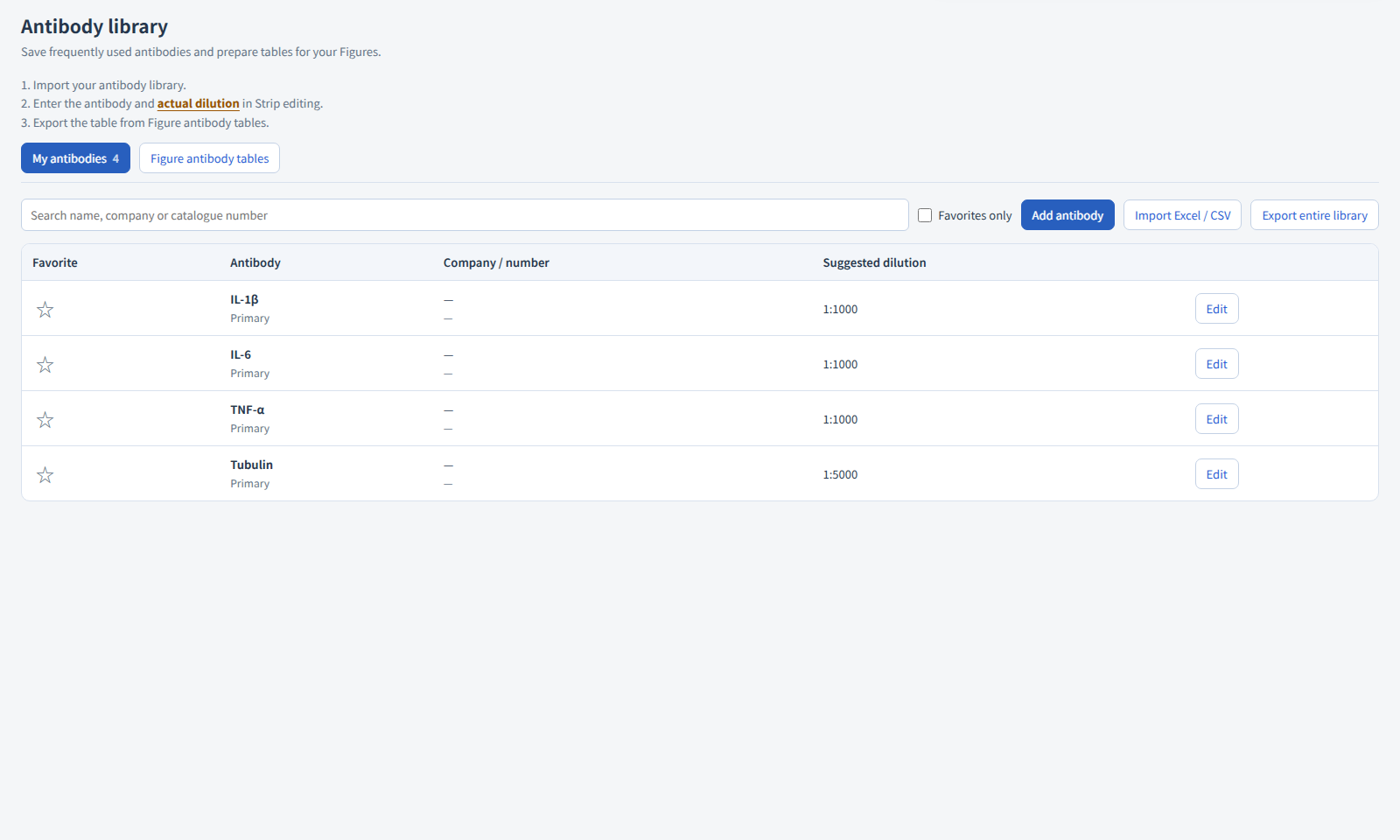
Import your antibody library from Excel or CSV, record actual use on strips, and export the antibody table for selected figures.
Practice with built-in examples without signing in. Register for free figure tools and an eligible full-feature trial of up to one month, subject to account and device history. After online verification, use your authorized features offline on this computer for 30 days.
From preparation to a clear result
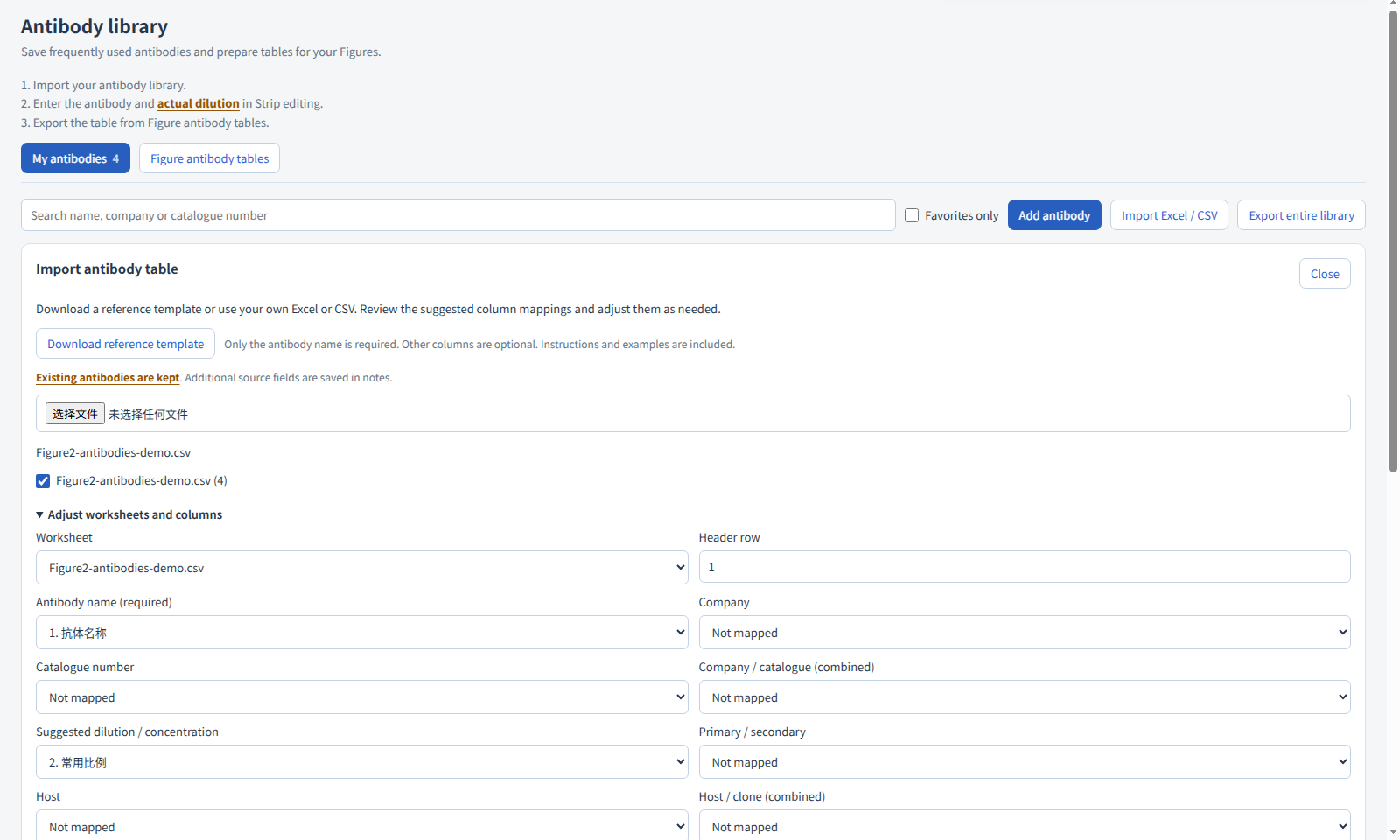
Import Excel or CSV records
Select worksheets, map fields and review records before adding them to your antibody library.
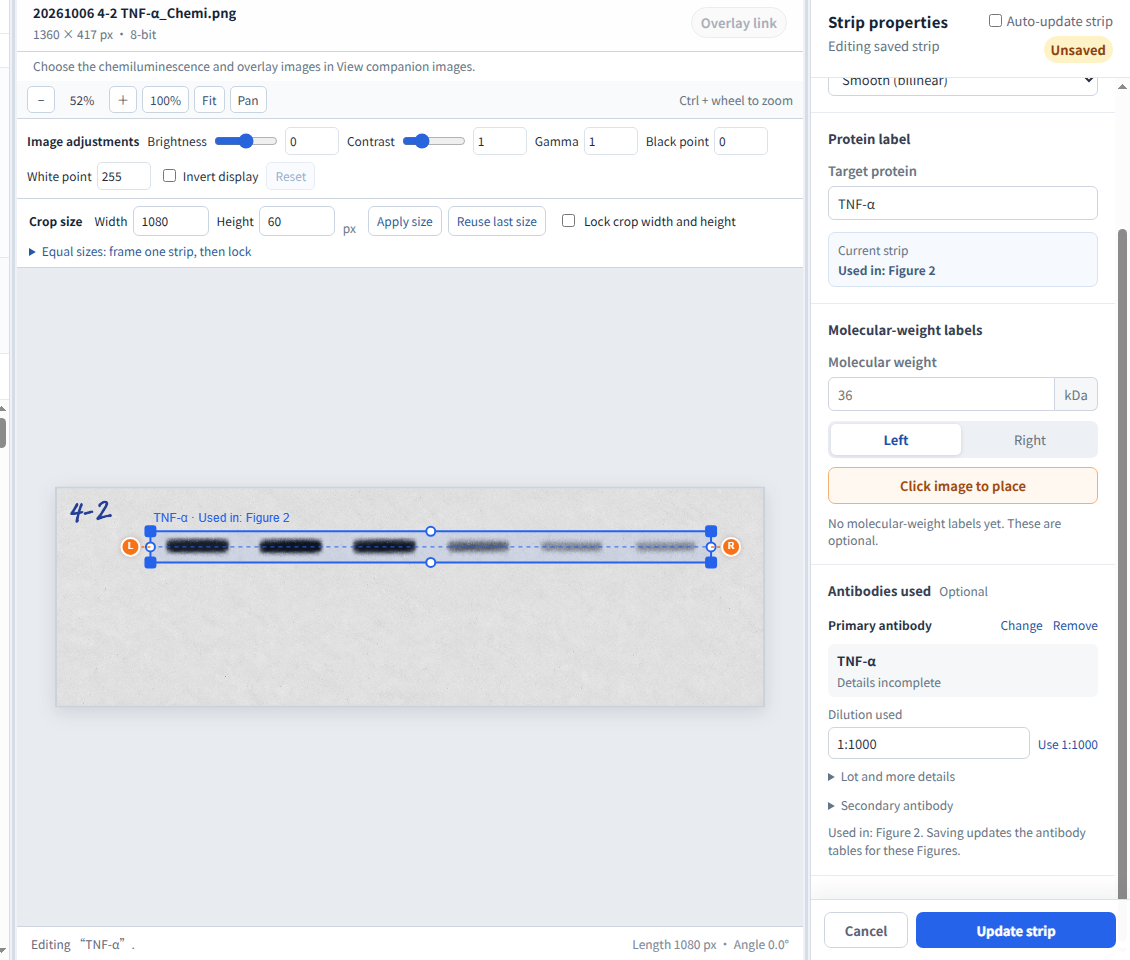
Record actual antibody use
Choose an antibody on the strip, enter the actual dilution and save a snapshot of this use.
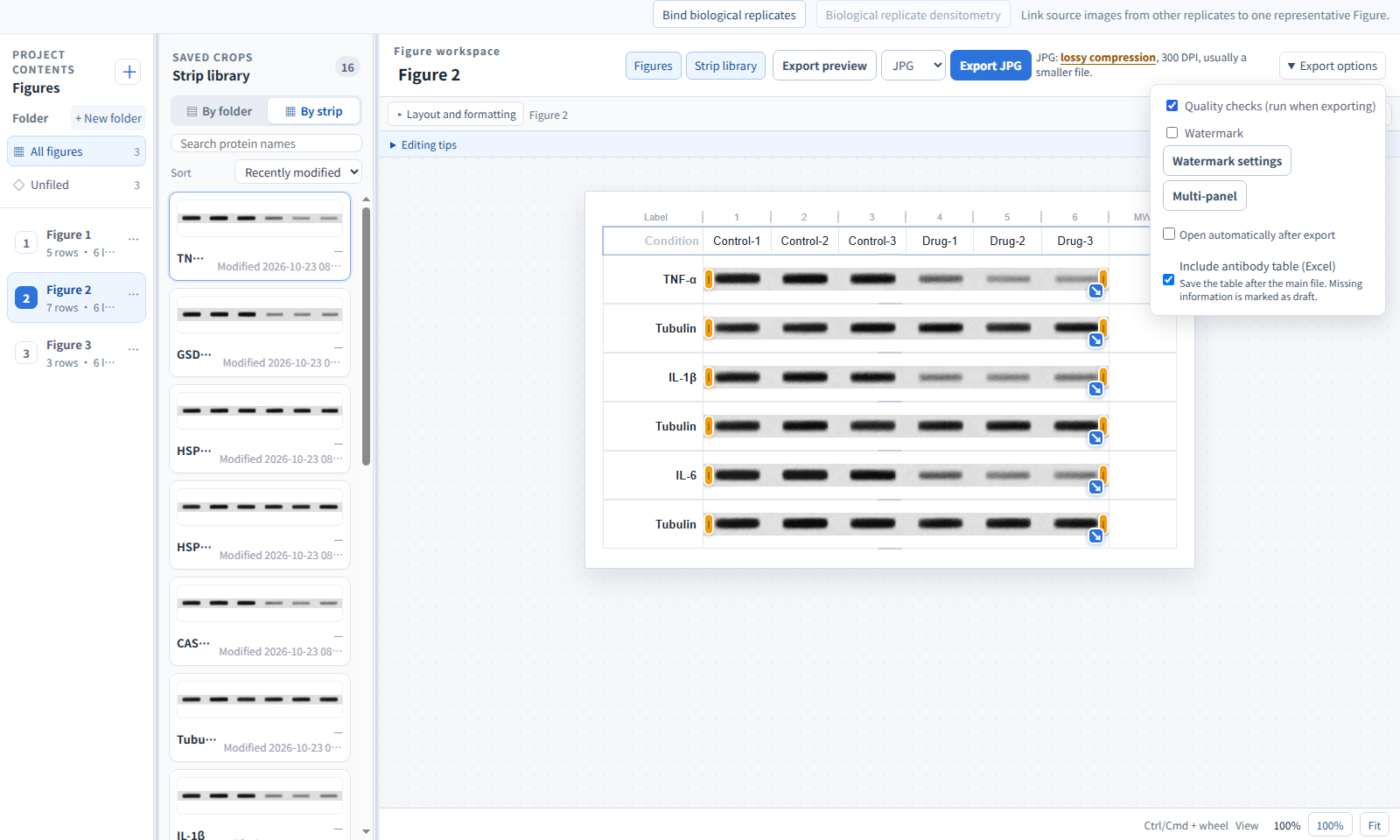
Export tables for selected figures
Tables follow selected strips and retain usage details and missing fields.
Get started with this feature
Import and select an antibody
Open the antibody library and import Excel or CSV. Select worksheets, confirm headers and field mappings, then review and add records. Existing records are not silently overwritten. Select the antibody in strip properties and enter the dilution actually used.
Save the actual use
Saving the strip retains a snapshot of this use. Later library edits do not silently rewrite saved experiments.
Review and export the antibody table
Select the figures and optional antibody table during export. Check the publication table, usage details and missing fields. Missing fields remain blank and are listed for completion.
Updated illustrated steps
Actual screenshots from Windows 2.0.9 using simulated Figure 1–3 material. Select any image to view it at full size.
Open examples and inspect the exports
Download the synthetic multi-sheet import example
Inspect an antibody-table draft
This actual 2.0.0 candidate export contains publication, usage-detail and missing-information sheets. One synthetic use is complete and three strip records remain incomplete, showing that missing facts are not filled automatically. This is not a completed table from a real experiment.
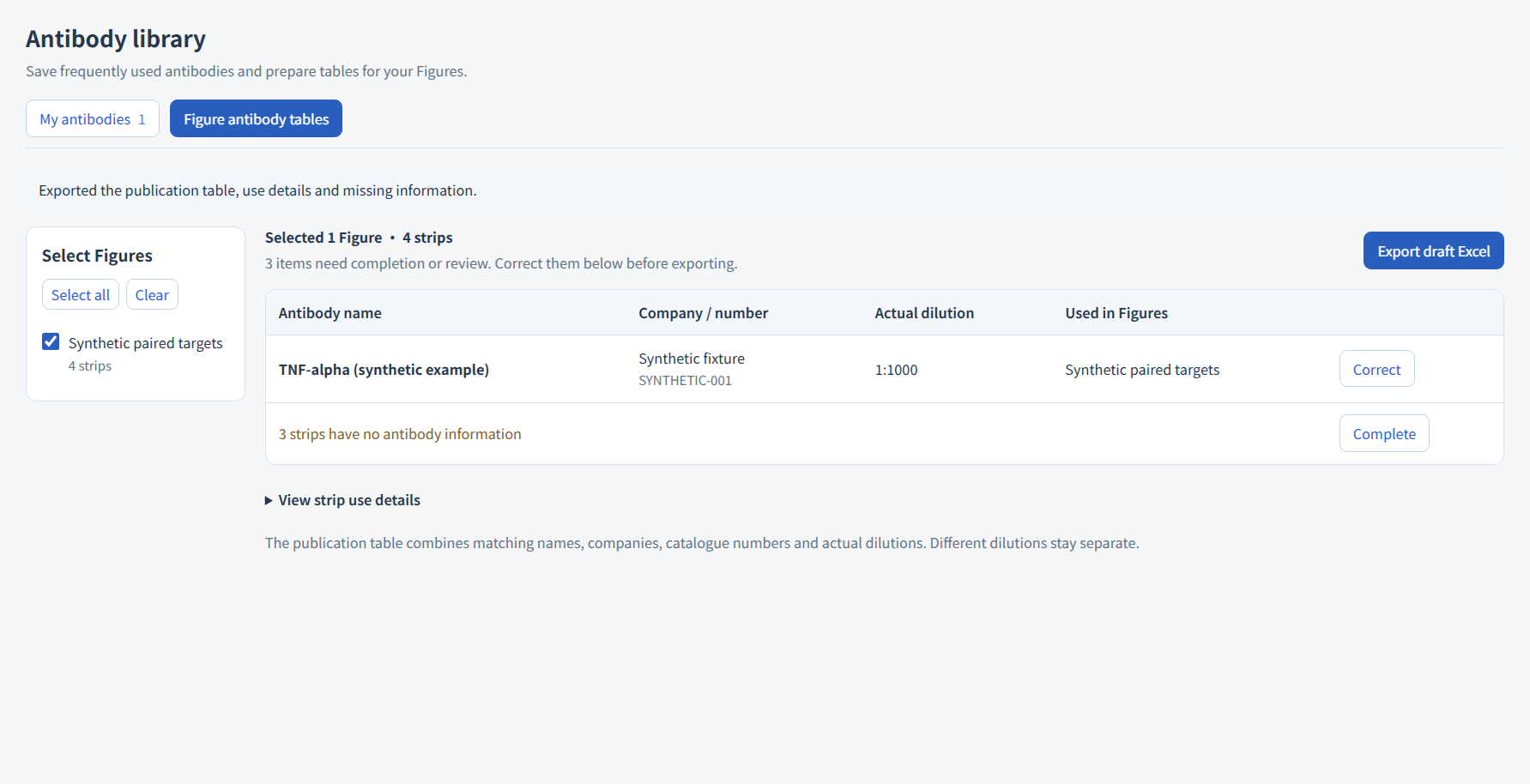
Actual operations and export examples
These actual 2.0.0 candidate operations and exports use synthetic data. Select an image to inspect its original size and retain the stated version and output conditions.
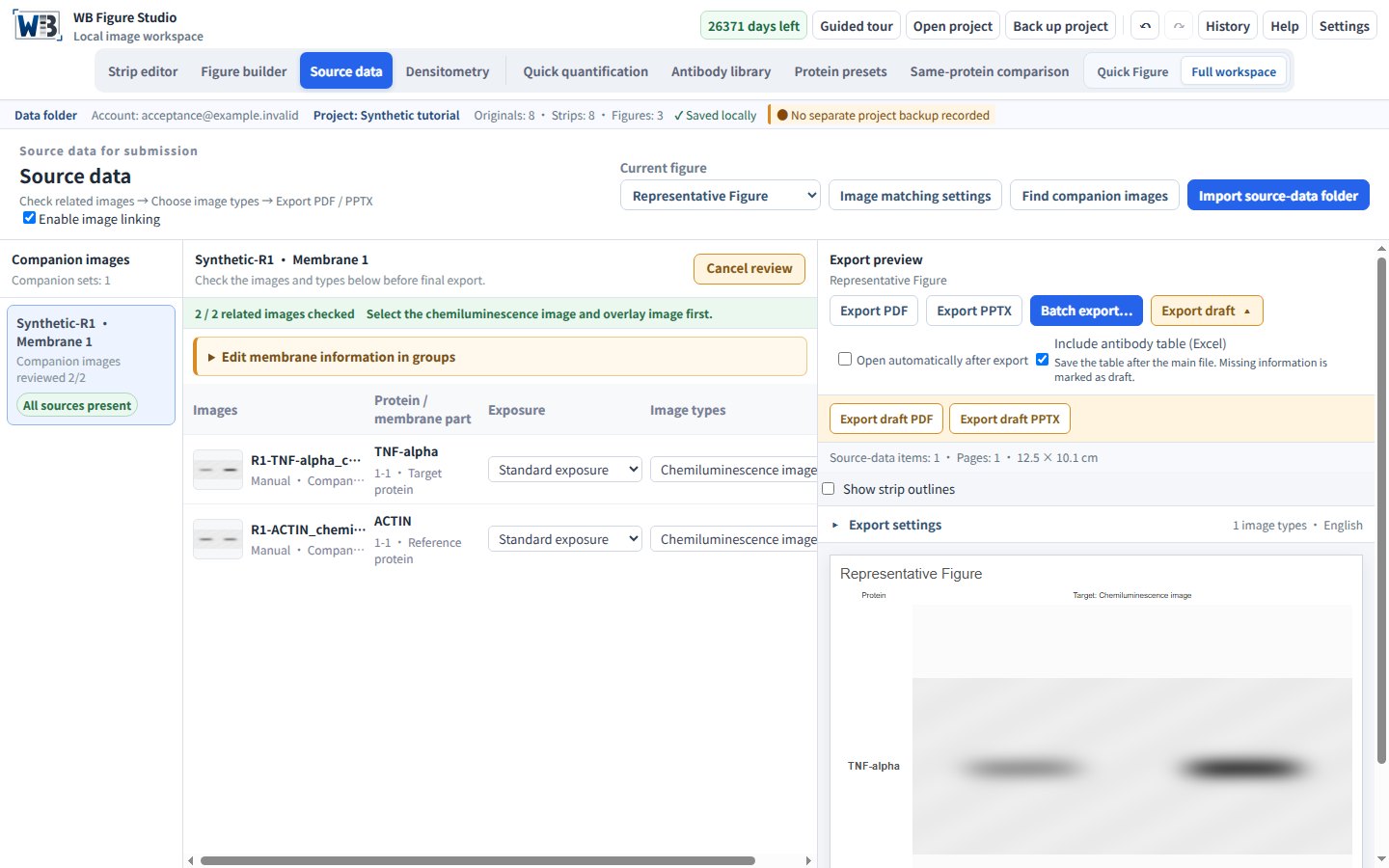
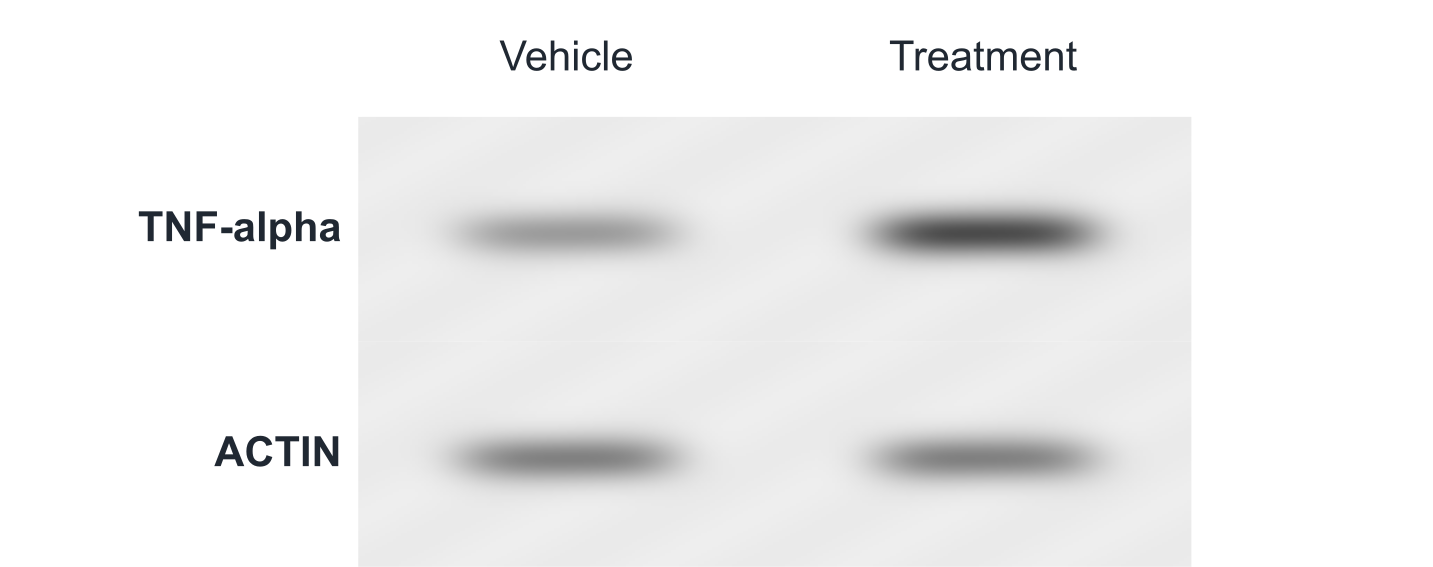
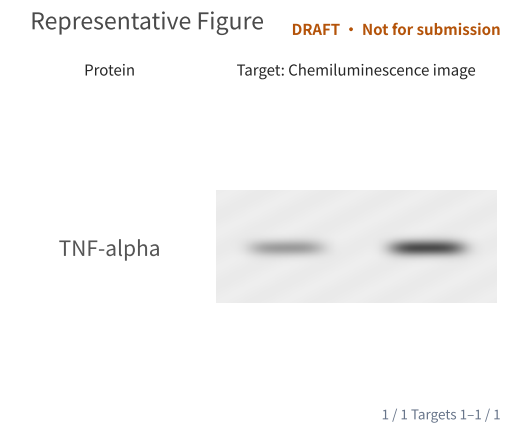
Usage and interpretation
Check the figure after updating the strip
Select a strip, choose its antibody and enter the actual dilution. Save or update the strip, then check figures that use it. When reusing a layout, confirm the antibody used in the new experiment.
The table follows the selected figure content
Figure and source-report exports each have their own table choice. Exporting only a target does not include an omitted reference. Your complete personal library is not the usage table for one experiment.
Review actual use after import
Import classification worksheets together and review summary sheets, empty rows and duplicates in the preview. A suggested library dilution is separate from the dilution actually used. Projects retain usage snapshots, and the library can be exported for backup. Signing in does not sync experimental images.